

Attendance and timesheets · HivePayroll
Attendance that feeds payroll directly, so a wrong day is fixed before it becomes a wrong salary.
Loss of pay, overtime and leave deductions all come out of attendance. HivePayroll records it and feeds it straight into the payroll run, so the same data produces the register and the payslip.
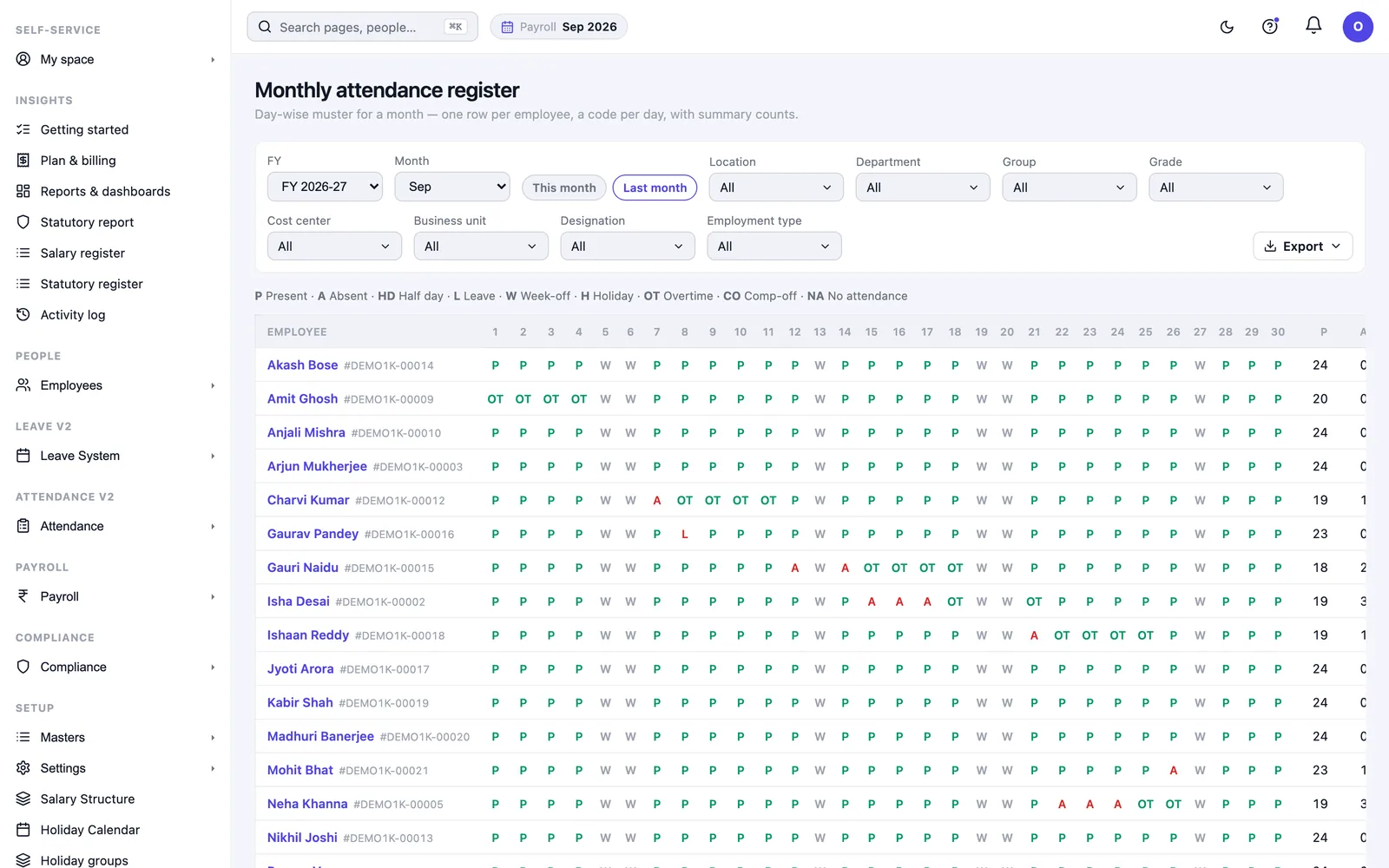
Attendance only matters because payroll depends on it
Attendance software is usually sold on tracking. In practice, the reason it matters is that loss of pay, overtime and leave deductions all come out of it, and a wrong attendance month becomes a wrong salary, discovered by the employee rather than by you.
Four ways to get attendance in
Web and mobile check-in
Employees check in from a browser or phone, with an office-location boundary if you want one, so a check-in has to happen at the site.
Biometric import
Pull punches straight from your existing biometric device. Hardware you have already bought keeps working.
Bulk import
Bring a month in from a spreadsheet, which is how most companies handle a plant or a site that is not yet online.
Manual entry and correction
For the days that need a human decision.
Employees can see their own attendance on a calendar with the hours worked each day, and a running timer on a day they have checked into, so the number is visible to them as it builds rather than arriving as a surprise at month end.
Shifts, patterns and week-offs
Shifts, shift configurations, working patterns and week-off rules live in one place. A company running a general shift in the office and rotating shifts on a floor configures both, rather than modelling one and handling the other manually. See shift management.
The exceptions that usually leak into payroll
What attendance produces for payroll
Before a payroll run, a pre-payroll attendance report shows the month as payroll will read it, so exceptions get settled before the run rather than after the payslips. Out of the same data:
Calculated per employee, and capped so it can never exceed the days the month actually has.
With an overtime register and a separate statutory overtime register.
Attendance register, daily attendance, and a team attendance register for managers.
Punctuality register, absenteeism register, and a full-week-away report.
Weekly hours and attendance analytics, plus a forecast for the rest of the month.
Every one of these can be filtered by department, location, cost centre or business unit, and downloaded.
See payroll reports and analytics for the full list.
Managers do their own approvals
Managers get their team’s attendance and the requests waiting on them in their own space, without going through HR. Attendance reminders can be sent automatically so the chasing is not a person’s job.
Frequently asked questions
Does HivePayroll work with our existing biometric machines?
Yes. Attendance can be imported directly from a biometric device, alongside web and mobile check-in and spreadsheet import. You do not have to replace hardware to move payroll.
Can we restrict check-in to the office?
Yes. Web and mobile check-in can be bounded by an office location, so a check-in only registers at the site. It is optional — companies with field or remote staff can leave it off.
What happens when someone forgets to check out?
The day is closed automatically and the system records who closed it, so the day does not reach payroll as zero hours or as an impossible number, and the correction stays visible in the trail.
Will short hours automatically cut someone’s salary?
Only if you turn that on. By default the monthly shortfall review shows you who fell short and what it equals in days, and deducts nothing.
How do attendance corrections get approved?
Employees raise them from their own space and they arrive in a single approvals queue. Approved changes appear in the regularisation register with who made them and when.
Does attendance flow into payroll automatically?
Yes. Loss of pay and overtime are derived from attendance in the payroll run, and a pre-payroll attendance report lets you settle exceptions before the run rather than reversing payslips after it.
Try it on a real monthThe honest test of attendance software is one full month of your own data, including the messy days. Book a free demo or start on any plan. HivePayroll is free for up to 10 employees.