

Payroll reports and analytics · HivePayroll
Thirty-one named reports, each answering a specific payroll question, and every one exportable to Excel or CSV.
“Reporting and analytics” usually means a dashboard and an export button. HivePayroll ships a named report for each question payroll teams actually get asked, rather than a report builder you have to learn first.
Thirty-one reports, because payroll questions are specific
The questions payroll teams actually get asked are narrower than a dashboard: what did leave cost us last quarter, who is short of hours this month, which employees have a negative leave balance, does the LOP in the payroll run reconcile to the attendance register.
Payroll
- Salary register: the month, every employee, every component
- Payroll journal: the accounting entry, ready for your books
- Bank advice: the payment file, with anyone missing bank details flagged before you send it
Statutory
- Statutory register and statutory muster: for inspections and audits
- PF ECR, ESIC return, Professional Tax return and PT detail return, LWF return, NPS subscriber file
Reconciliation
- LOP reconciliation: payroll loss of pay against attendance
- Leave reconciliation: balances against the ledger that produced them
- Pre-payroll attendance: the month as payroll will read it, before the run
Attendance
- Attendance register, daily attendance, team attendance register
- Punctuality register, absenteeism register, full-week-away
- Overtime register and a separate statutory overtime register
- Regularisation register: every attendance correction, who made it and when
- Weekly hours, attendance analytics, and an attendance forecast for the rest of the month
Leave
- Leave balance register and leave ledger register
- Leave request register and leave wages register
- Negative balances: who is carrying one, before it becomes a recovery
Filters that match how you are actually organised
Every report can be filtered by department, location, cost centre, business unit, grade, designation and employment type, and downloaded as Excel or CSV. That matters for two reasons beyond convenience:
Location
A company with separate statutory registrations files per location, not per company.
Cost centre
A finance team allocating payroll cost needs it split by cost centre, not by whoever happened to run the report.
Dashboards for the position, reports for the detail
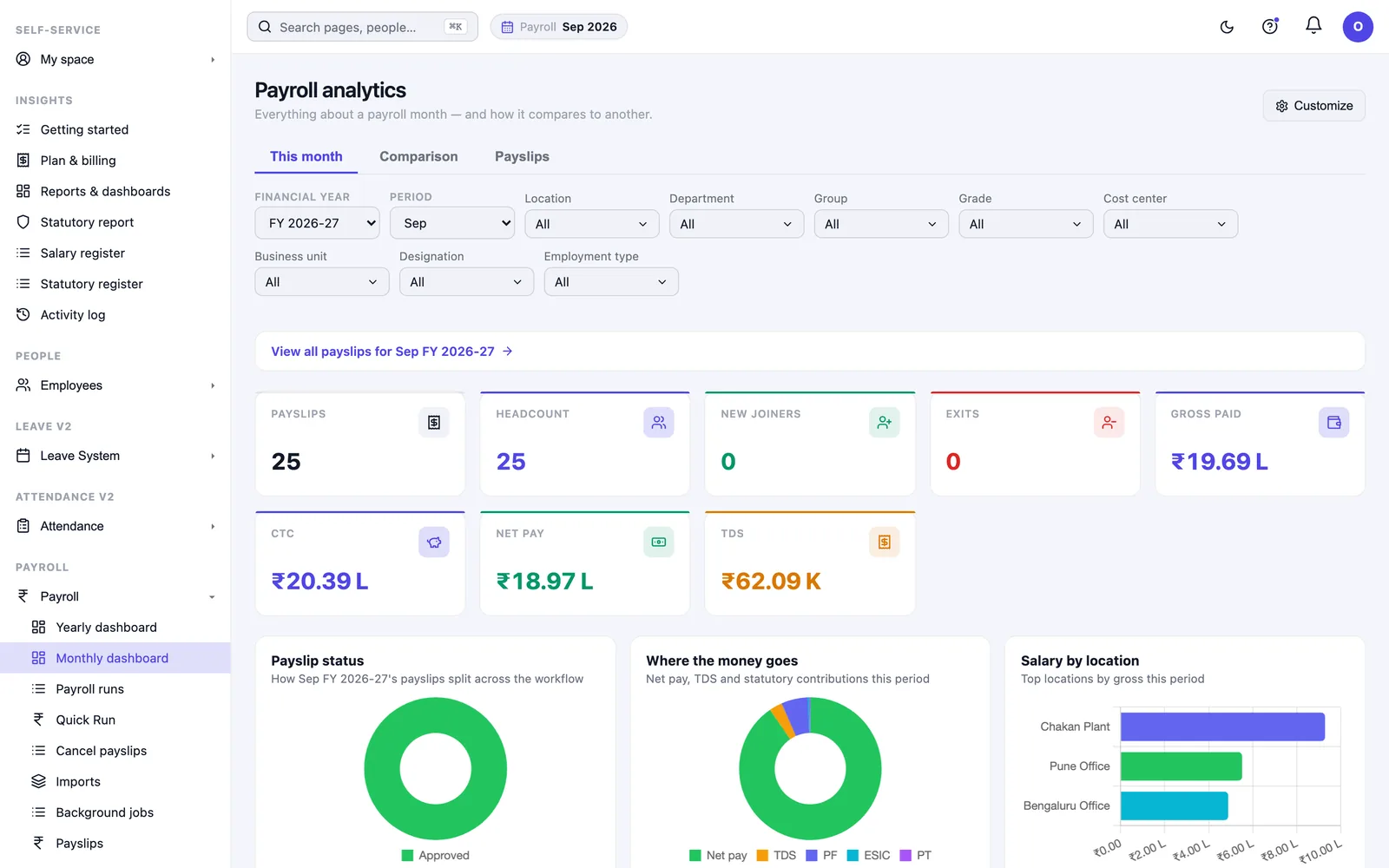
Yearly and monthly payroll dashboards
Headcount, gross, net, tax and statutory, with the previous month beside the current one.
Compliance dashboard
Your statutory liability split by head and between employee and employer. See statutory compliance.
The dashboards answer “what is the position”. The reports answer “prove it”. You need both, and they are built from the same data.
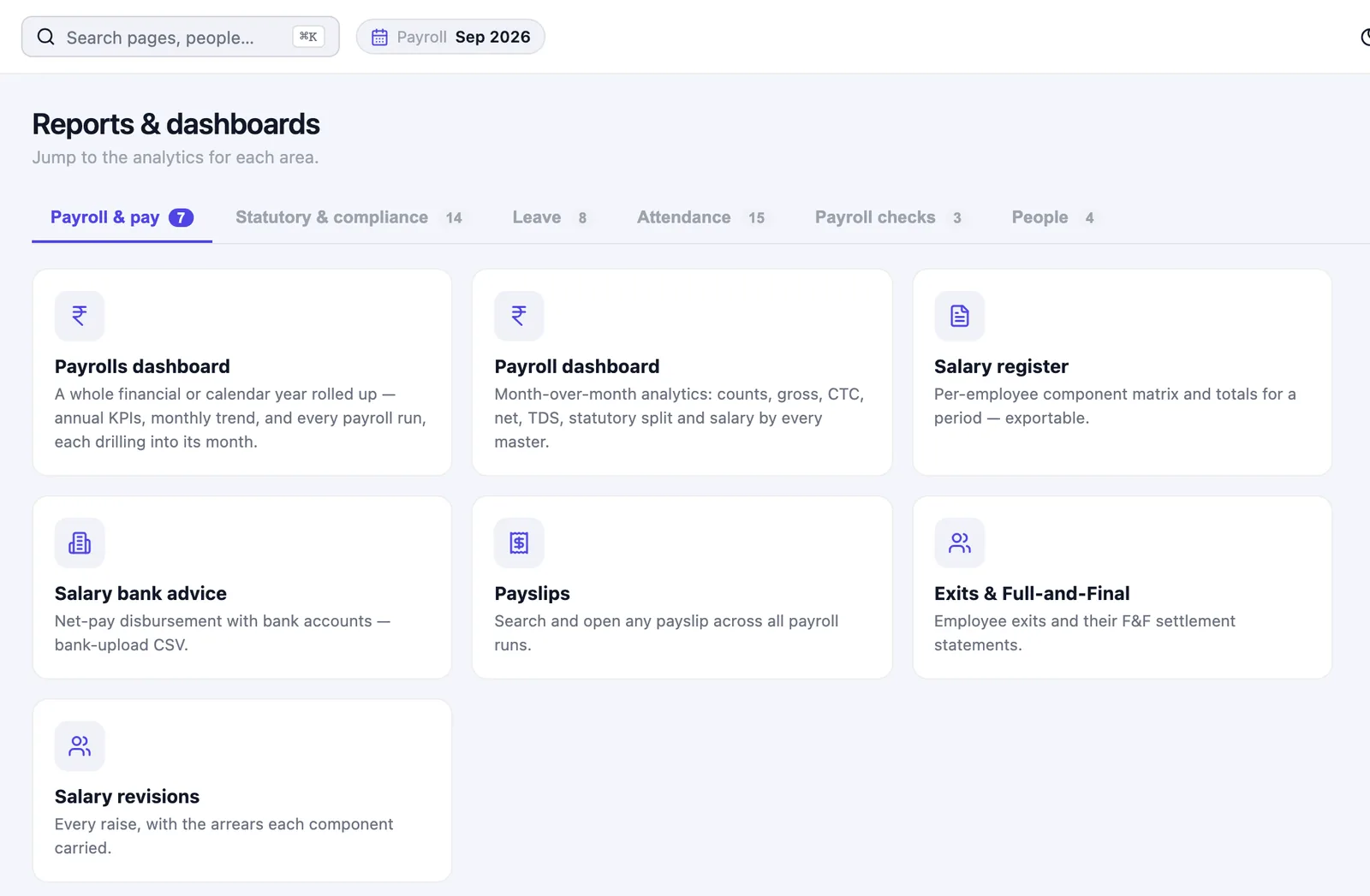
Large downloads, and a reports home page
Frequently asked questions
Can I export to Excel?
Yes, Excel or CSV, on every report, after whatever filters you have applied.
What happens with a very large report?
It is prepared in the background and appears in an exports queue when it is ready, instead of timing out in the browser.
Can I split reports by cost centre or location?
Yes. Filters cover department, location, cost centre, business unit, grade, designation and employment type.
Is there a report that reconciles payroll to attendance?
Yes — LOP reconciliation compares payroll loss of pay against attendance, and a pre-payroll attendance report shows the month as payroll will read it before you run it.
Can I get the accounting entry for payroll?
The payroll journal produces the entry for your books, alongside the salary register and the bank advice file.
How do I see who has a negative leave balance?
The negative balances report lists them, so a recovery is a decision you make rather than something you discover at exit.
Ask for the report you cannot currently getMost payroll teams have one report they rebuild by hand every month. Book a free demo and ask for that one specifically. Or see HivePayroll pricing. HivePayroll is free for up to 10 employees.